Answers only from your business documents

Stop being the one who answers the same questions all day.

Your team asks the assistant instead of interrupting you: schedules, prices, protocols, exceptions. It answers from your documentation and cites where it got it. Whatever is not written down reaches you by email once — and then it is settled.

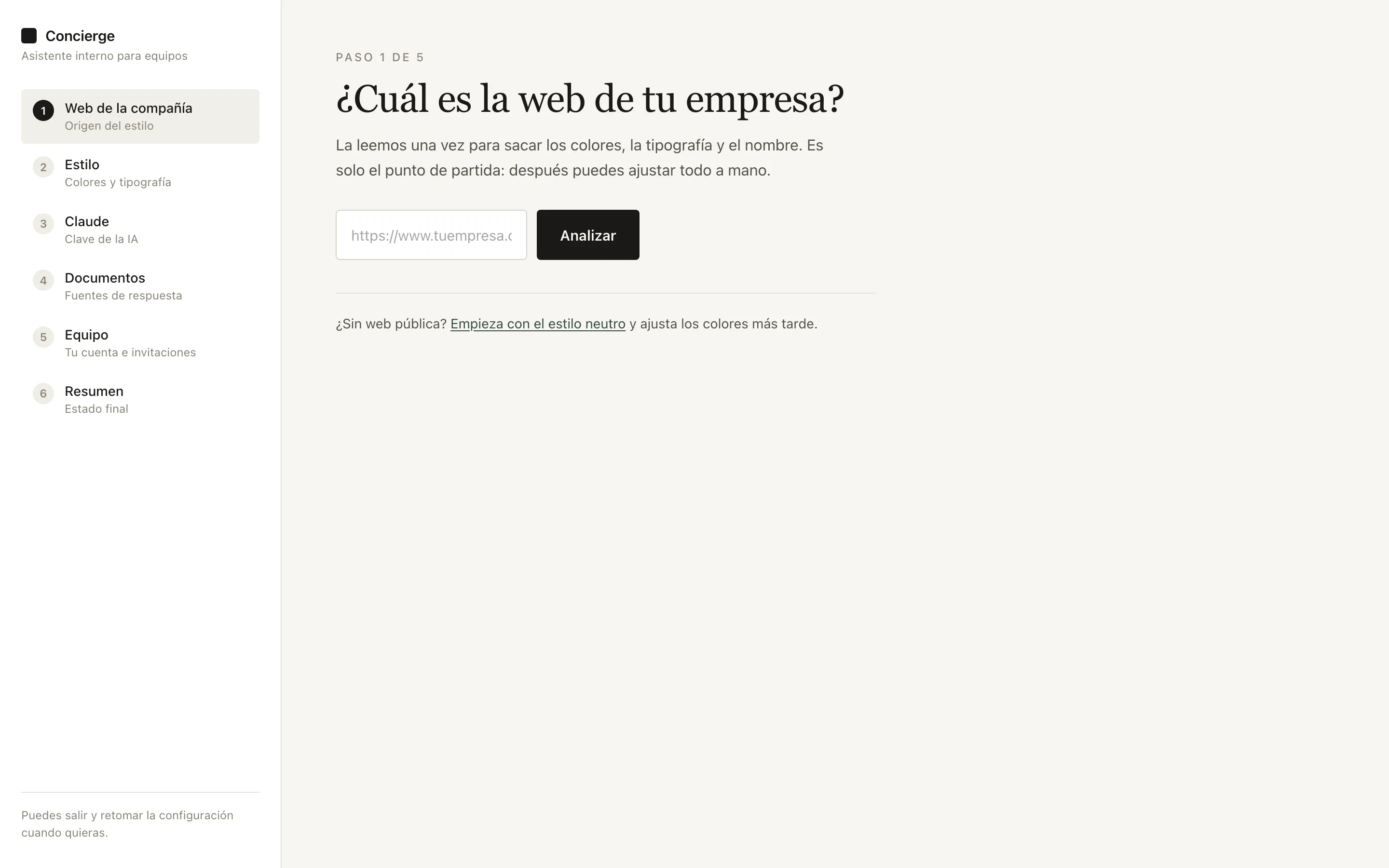
Start with your website
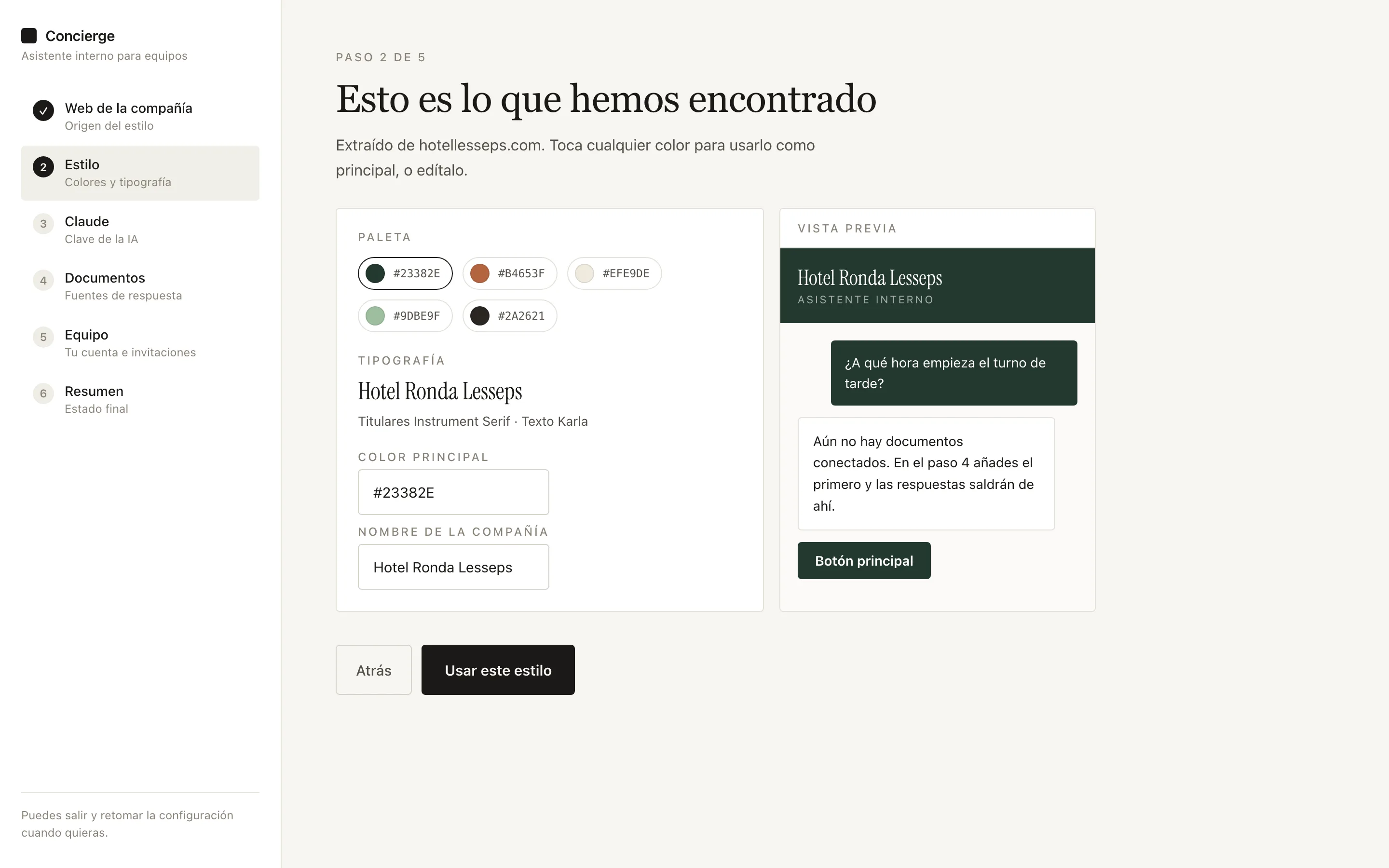
We pull colors, typography and name from your site. Previewing requires no sign-up.
Or try the demo with a sample business, without entering anything of yours.
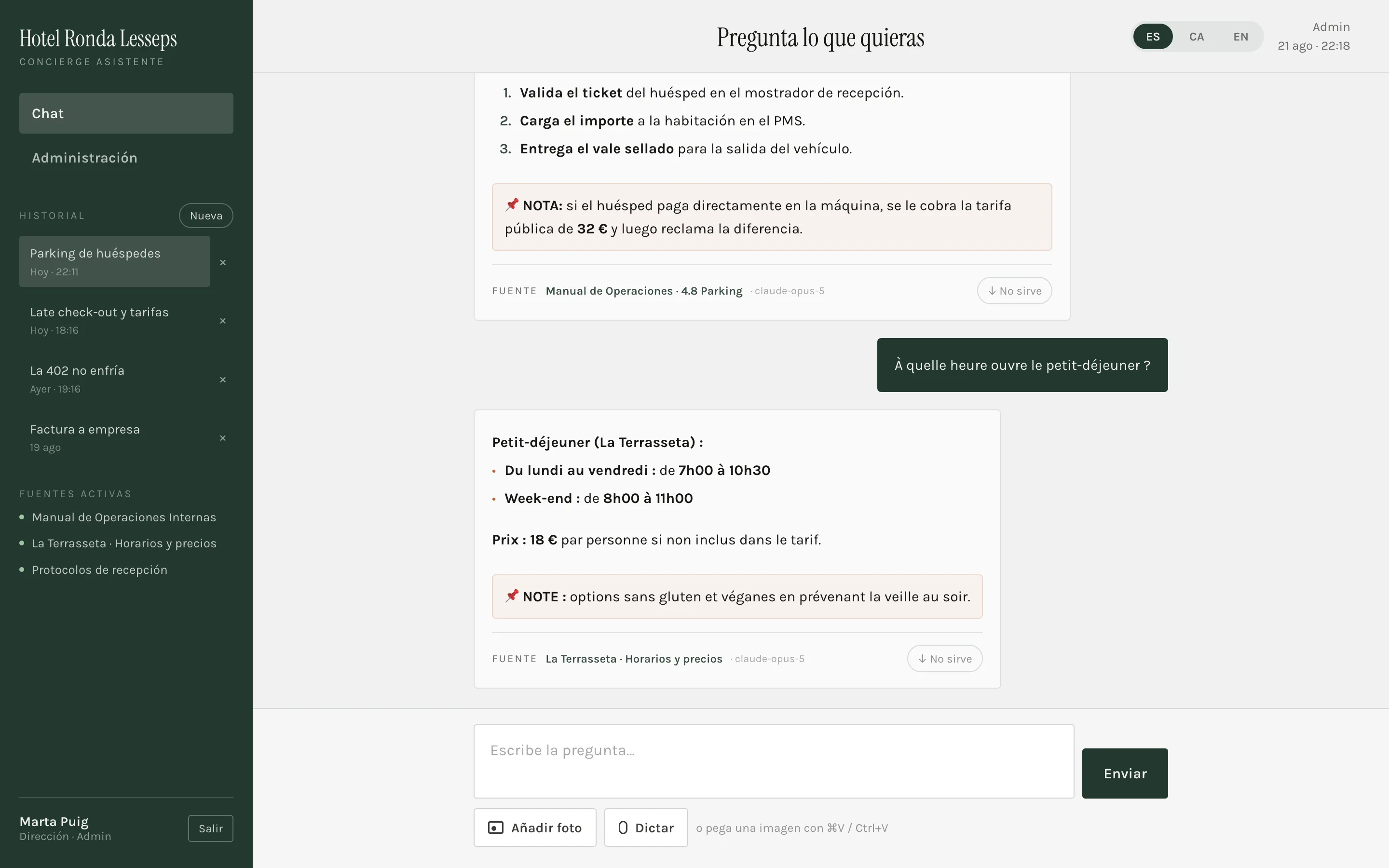
Assistant chat screen
Demo, no sign-up

Ask it yourself, right now.

These three businesses have their documentation loaded. Pick one and ask anything: you'll see the answer with its source — and what happens when the answer isn't written down.

Internal assistant
Demo documentation
It works the same with yours: drop a file or connect Drive.
This is your assistant, not a mock-up
The demo runs on the same engine with the same rules: it only answers from what is written and cites the source. When you create yours, the documentation changes — the behaviour doesn't.
Create mine with my website
Two uses

The same assistant, inward or outward.

Inward
So your team stops asking you
New hires, the night shift and whoever covers a sick day get the same answer you would give, without waiting for you to pick up the phone. Every answer cites the document it comes from, so nobody wonders whether it is current.
Typical questions
How much do I charge a guest for parking and how do I process it?
Until when can I apply the non-refundable rate?
Room 402 is not cooling — who do I call before relocating?
Front desk, floor, retail, site, phone support: any team with written procedures and rotating shifts.
Outward
To answer your business’s customers
The same assistant, with the documents you choose to publish, answering customers on your site or WhatsApp. Since it only answers from what is written, it never promises what you cannot deliver.
Typical questions
Do you have dog-friendly rooms?
What time does the kitchen open on Sundays?
Do you have parking for a van?
Every query it cannot answer is a real customer question telling you what is missing from your website.
Interruptions follow a pattern
It is almost always the same fifteen questions. They are written down somewhere, but nobody goes looking: asking the boss is faster.
The manual nobody opens
Nobody reads a thirty-page PDF mid-shift. A conversation, they will — and it gives the answer in two sentences.
Nothing made up
It only speaks from your documents and says where it got it. If it cannot find it, it asks instead of improvising.
How it works

From your website to a working assistant, in one afternoon.

01
Your website
We analyse the site and pull colors, typography and name. The assistant looks like your brand from minute one.
02
Verification
A single-use link to your company email. Once you confirm it, your request reaches us and we get back to you Monday to Friday, within 12 hours.
03
Documents
Drop a file or connect Google Drive and choose which folders get indexed. Drive documents sync on their own.
04
Alerts
You decide who receives unanswered questions and how often. That closes the loop.
05
Team
You invite people by email. They see the chat; administration stays with you.
Style step: palette extracted from the website
The palette and typography come from your site. Both can be adjusted by hand.
First onboarding step: the company website
Six steps: website, style, Claude, documents, alerts and team.
What it doesn’t know

Every unanswered question tells you what to write next.

The assistant never improvises. If it is not in the documentation, it alerts whoever you choose with the original question, who asked it and which documents it searched. You answer once, it goes into the manual, and it stops being an interruption.

This is how the alert arrives
To · management@yourcompany.com
“Can guests store bikes in the storage room?”
Jordi (Front desk) asked this. It does not appear in the 3 indexed documents. Reply to this email and we will add it.
The team
Only sees the chat — Spanish, Catalan or English
History of their questions, answers with sources
Photo or voice when typing is awkward
Whoever administers
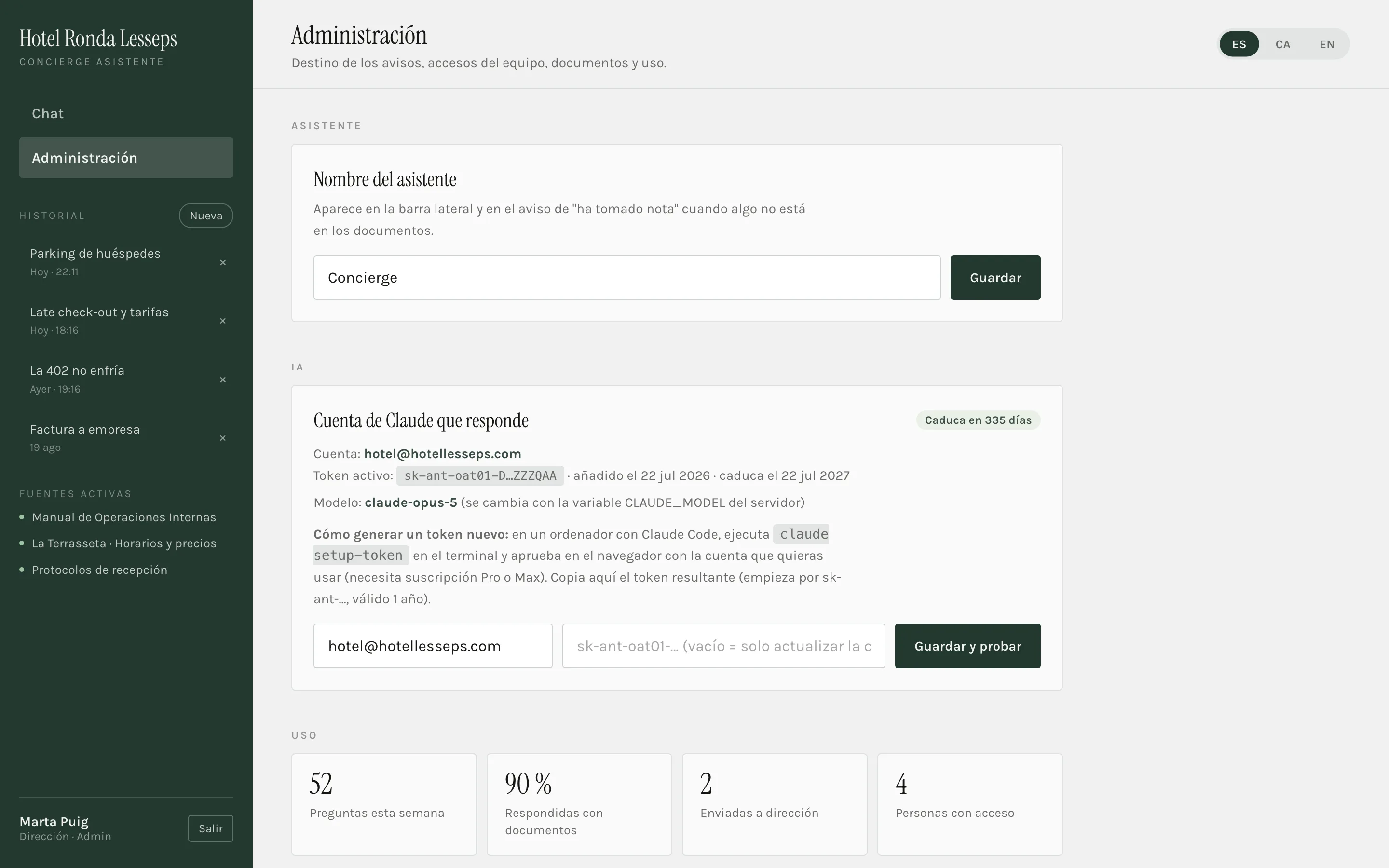
Documents, keys and alert recipients
A log of what the assistant could not answer
Who has access, and with which role
Tailored plan
And when the assistant doesn’t know, a person answers.
On the tailored plan, our staff receives the unanswered questions, answers them and folds them into your documentation. Your team and your customers always get an answer, written down or not — and you never even notice.
See the tailored plan
01 The assistant cannot find the answer in your documents.
02 Our team researches it with you and answers whoever asked.
03 The answer is added to your documentation: next time, the assistant already knows it.
Administration screen
On shift

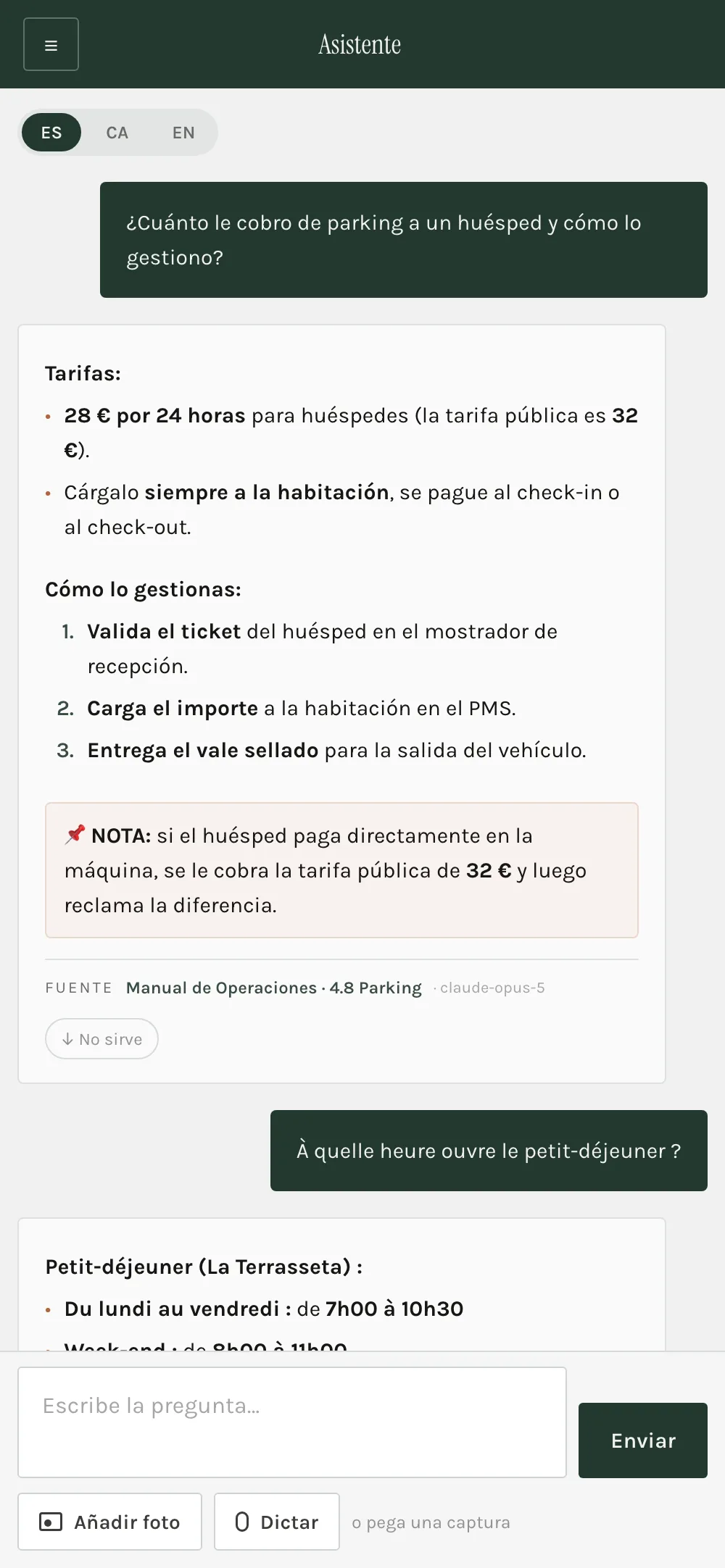
Built to be used standing up, one-handed.

Short, actionable answers
Numbered steps and amounts in bold — not manual paragraphs.
Ask in your language
It answers in the language you ask in, even if the document is in another.
Photo or voice
A photo of the fuse box or a receipt beats describing it.
Source always visible
Under every answer, the exact document and section.
The assistant on mobile
Pricing

Per workspace, not per question.

Try it free for a day, no card. You bring your own Claude account — or start with a free Gemini key — so model usage is paid where you already have it.

One team
1-day free trial, no card
39 € / month
Up to 10 people and 3 documents.
Multilingual chat with cited sources
Email alerts for what it doesn’t know
File uploads
Start free
Business
1-day free trial, no card
89 € / month
Up to 40 people and unlimited documents.
Everything above
Synced Google Drive
Public assistant for customers
Usage metrics and gaps
Start free
Tailored
Tailored
Chains, groups and businesses with their own software.
One workspace per site with shared documents
Human staff answering what the assistant doesn’t know
Integration with your software: PMS, POS, ERP or internal tools
Assisted onboarding and training
Let’s talk

Start with your website and see how it looks.

Your documentation doesn’t need to be tidy. With a single document the assistant is already useful, and the emails you receive will tell you what is missing.

Try the demo Create my assistant